
What you can learn from checkout drop-off without cookies or user IDs
Payment failures are a common cause of “mysterious” conversion drops: shoppers reach checkout, attempt payment, then vanish. The usual instinct is to add more tracking and identifiers. You can often avoid that. With cookie-free analytics, you can still isolate where the checkout breaks, which payment methods fail most, and which browsers or devices correlate with errors—using aggregate signals and event-based instrumentation rather than user-level tracing.
The key is to treat checkout as a measurable system with observable steps. You will not reconstruct individual journeys, but you can quantify step-to-step leakage, correlate failures with technical conditions, and confirm whether fixes move the metrics in the right direction.
Model the checkout as a funnel with explicit steps
Start by defining a minimal, stable set of checkout steps. Keep names consistent across releases, because your trend lines depend on it. A typical structure looks like:
- Checkout started (landing on checkout or clicking “Proceed to checkout”)
- Shipping submitted (or address step completed)
- Payment initiated (payment form displayed or “Pay” clicked)
- Payment authorized (provider returns success)
- Order confirmed (thank-you page or server confirmation)
If your checkout is one page, you can still emit events that represent these states. The goal is not to mirror every UI detail, but to isolate where payment failures happen: before a payment attempt, during an attempt, or after provider authorization but before confirmation.
Instrument payment failures as first-class events
To diagnose payment-related drop-off, you need more than “purchase” and “checkout”. Create a dedicated payment_failed event and capture a small set of non-identifying properties that help you segment failures:
- provider (e.g., Stripe, Adyen, Braintree)
- method (card, Apple Pay, Google Pay, bank transfer)
- failure_stage (client_validation, provider_authorize, provider_3ds, server_confirm)
- error_class (timeout, declined, network, fraud_rule, invalid_request)
- retry_count (0, 1, 2+ as buckets)
Avoid sending raw error messages, card details, emails, names, or full IP-based attributes. Keep properties categorical and low-cardinality so you can aggregate cleanly and avoid accidental leakage of personal data.
Then add a payment_succeeded event for symmetry. When you can measure both failed and succeeded attempts, you can compute a practical “payment success rate” alongside the checkout funnel.
Use cookie-free analytics to quantify where the leak starts
With a privacy-friendly, event-based tool such as plausible.io, you can track custom events and build a funnel view that shows where conversions fall off. The diagnostic pattern is:
- Funnel drop between payment initiated → order confirmed suggests payment or post-payment confirmation issues.
- High payment_failed volume with stable traffic indicates a real operational regression rather than a traffic-quality change.
- Drop between shipping submitted → payment initiated can point to payment UI not rendering, blocked scripts, or method availability issues.
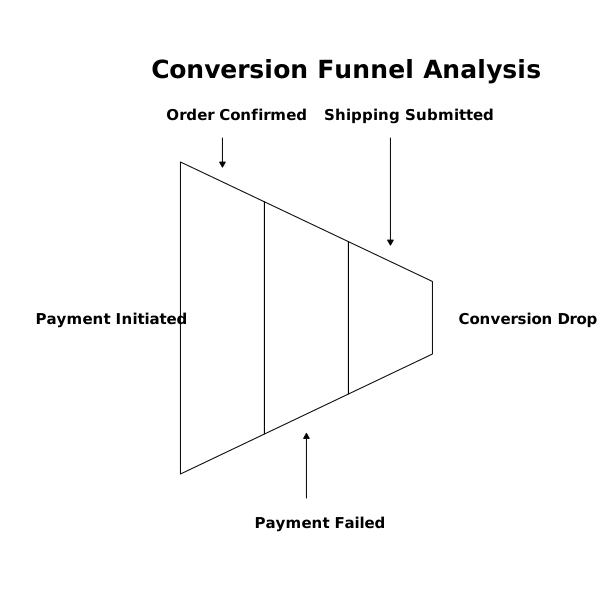
Because the analytics is cookie-free, you should expect totals rather than user-stitched paths. That’s fine: what matters is whether a release or configuration change moves the aggregate conversion and failure rates.
Segment failures to isolate the root cause
Once you have reliable events, segment to narrow the culprit. Focus on segments that map to technical differences:
Browser and device
Payment failures often correlate with specific browser behaviors (ITP restrictions, third-party storage limits, pop-up handling) or platform constraints (in-app browsers, older Android WebViews). If the failures spike in one browser family, check JavaScript errors, payment SDK compatibility, and redirect flows.
Country, currency, and language
Localization and regional payment method availability can break silently. A spike in failures in one market may be as simple as a missing currency configuration, an incorrectly formatted address field, or provider-level restrictions.
Payment method and provider
Split failures by method. For example, a stable card success rate with a sudden Apple Pay failure suggests a merchant validation or domain verification issue. If all methods fail, it may be an API key, webhook, or backend outage.
Error class and failure stage
Stage-based properties turn “it’s dropping” into an actionable hypothesis. If failures concentrate in provider_3ds, investigate authentication flows and return URLs. If failures are mostly server_confirm, look at inventory locks, order creation, or webhook processing latency.
Turn analytics signals into concrete debugging tasks
Cookie-free analytics will tell you what is breaking and where it concentrates. The next step is to connect those signals to system evidence:
- Compare timestamps of failure spikes with deploys, provider configuration changes, and incident timelines.
- Correlate failure_stage with server logs (order service, payment service) and provider dashboards (decline codes, webhook retries).
- Reproduce with the segment profile (same browser/device, region, and method) using test accounts and realistic network conditions.
If you operate under compliance requirements, make your debugging trail auditable. A lightweight practice is to link each observed analytics anomaly to a tracking ticket and evidence (deploy hash, provider incident, log excerpt). If you need a structured approach to organizing that kind of evidence, a control-to-system mapping mindset can help; this is similar to building a traceability record in compliance work such as a control-to-system traceability matrix.
Fix patterns that commonly cause payment-failure drop-off
Once you’ve isolated the failing segment and stage, the fixes tend to cluster into a few repeatable buckets:
- Redirect and return URL bugs: incorrect callback URLs, missing state parameters, or environment mismatches (staging vs production domains).
- 3DS and SCA handling: challenge flows not displayed, timeouts, or return pages blocked in in-app browsers.
- Webhook and confirmation delays: payment succeeds at the provider but the order is never confirmed due to webhook failures or race conditions.
- Frontend validation regressions: overly strict formatting for postal codes/phone numbers causing silent client-side blocks.
- Method availability configuration: payment methods enabled in the provider but not presented correctly by country/currency rules.
Pair each fix with a measurement plan: you should see a reduction in payment_failed rate and an improvement in the funnel step conversion after rollout.
Validate improvements without identity-based tracking
To validate a fix, compare pre/post periods with the same segmentation. Look for:
- Payment success rate improving within the previously failing segment.
- Funnel recovery specifically from payment initiated → order confirmed.
- No offsetting regressions (e.g., fewer failures but also fewer payment attempts due to a broken button).
If your traffic sources vary day to day, align the comparison window with your marketing attribution settings so you don’t mistake channel mix changes for checkout stability changes. When measurement debates stall because different attribution windows tell different stories, it helps to standardize the reporting approach; see the discussion on lookback windows and attribution settings for common pitfalls.
A minimal event checklist for payment diagnostics
- checkout_started
- checkout_step_completed (property: step_name)
- payment_initiated (properties: provider, method)
- payment_failed (properties: provider, method, failure_stage, error_class, retry_bucket)
- order_confirmed (properties: provider, method; optional revenue as aggregate)
This gives you enough structure to detect drop-off, locate the failure stage, and verify improvements—without cookies, user IDs, or persistent tracking.