
Why calendar invites can behave differently from normal warmup mail
Email warmup is designed around a predictable pattern: gradually increasing volume while generating positive engagement signals (opens, replies, moving messages out of spam, and normal back-and-forth conversation). Calendar invites, especially those sent as .ics attachments or text/calendar parts, don’t always follow that pattern. They often generate little to no reply traffic, they may be processed by calendar systems rather than inbox readers, and they can trigger additional automated checks that standard messages don’t.
In Gmail and Microsoft 365, sender reputation is influenced by a mix of authentication, complaint rates, engagement signals, and behavioral patterns over time. A sudden spike in meeting invites can look unlike typical human email behavior, particularly if the sender is new, recently warmed, or sending from a mailbox that previously only exchanged conversational mail.
How Gmail and Microsoft 365 treat meeting invites
Meeting invites are not “just another attachment”
An .ics file is a structured calendar object. Many clients parse it automatically and surface “Accept / Maybe / Decline” buttons. That changes how the message is interacted with. The recipient may never open the email in a way that produces the engagement signals warmup platforms aim to generate, yet the sender still consumed sending volume.
Automated processing can reduce visible engagement
In Google Workspace and Microsoft 365 environments, calendar pipelines and mailbox security layers can process invites in the background. Recipients might see the event on their calendar without reading the email body. From a deliverability perspective, that means the sender can rack up low-engagement sends even when the invite is legitimate and useful.
Invites can amplify “behavioral anomaly” signals
Calendar sends often differ from normal mail in several detectable ways: different MIME structure, recurring patterns, identical subject lines, and high similarity across recipients. If a mailbox goes from light conversation to a burst of nearly identical invites, filters may treat it as automation-driven, even if the content is benign.
Calendar sending patterns that quietly damage reputation
1) Sudden volume spikes of ICS traffic
Warmup typically increases volume gradually. Meeting invites are often sent in batches (sales demos, webinars, onboarding sessions). A sharp step-up in sends dominated by invites can create a reputation mismatch: the mailbox appears to have “warmed” but is now behaving like a scheduling bot.
2) Low response and low reply rates compared to normal mail
Warmup benefits from replies. Many recipients accept an invite without replying, or they ignore the email entirely. If invites become a large share of total outbound messages, overall engagement rates can drop, which is a common precursor to poorer inbox placement over time.
3) High similarity across recipients
Invite templates are often identical except for the recipient address and maybe a name token. High similarity is not automatically bad, but combined with a newer sender, higher send frequency, and limited prior history, it can raise scrutiny in both Gmail and Microsoft 365 filtering.
4) Sending invites from a newly created or newly warmed mailbox
A warmed mailbox is not the same as a fully trusted mailbox for every mail type. If the first “real” campaign after warmup is dominated by meeting invites, the system sees a new behavior profile. That profile may not benefit from the same engagement dynamics warmup simulated.
5) Repeated cancellations, updates, and resends
Calendar workflows generate follow-up messages: updates, reschedules, cancellations, and attendee changes. These can multiply volume quickly. If your workflow generates multiple invites per prospect, you can unintentionally create a high-frequency pattern with limited engagement.
Warmup strategy considerations when you send meeting invites
Keep warmup mail and calendar traffic behaviorally consistent
The goal is not to avoid invites; it’s to avoid abrupt behavior shifts. If your operational reality involves scheduling-heavy outbound, your mailbox history should reflect a mix of normal messages and scheduling-related traffic rather than a sudden switch.
Using a deliverability and warmup platform like mailwarm helps maintain steady engagement signals while you ramp normal outbound. The key is to ensure that your real sending plan (including invites) doesn’t undo that stability with a pattern that looks automated or anomalous.
Separate transactional scheduling from prospecting when appropriate
If you run both prospecting and high-volume scheduling, consider whether different mailboxes or subdomains should handle different traffic types. The objective is to avoid mixing a high-variance invite pattern into the same identity used for personalized outbound. This is not always necessary, but it can reduce risk when invite volume is unpredictable.
Ramp invites the same way you ramp email
If you expect to send 200 invites next week and you currently send 10 messages per day, the inbox provider will see a major shift. A practical approach is to increase invites gradually (and not all on the same hour/day), while keeping normal conversational mail steady. Consistency matters more than the exact number.
Watch your engagement metrics by message type
Aggregate opens/replies can hide what’s happening. If invites are 60% of sends and generate close to zero replies, overall reply rates drop, and that can correlate with worse placement. Track invites separately from normal email so you can see whether calendar traffic is driving a reputation decline.
Implementation details that reduce risk without changing your process
Make the email body useful even if the calendar UI is prominent
Some recipients will decide whether to accept based on the email preview, not the calendar attachment. Provide a short, clear reason for the meeting, expected agenda, and a simple way to reschedule. That can increase human interaction (including replies) when something doesn’t work for the recipient.
Ensure authentication is correct for invite-sending identities
Meeting invites still rely on standard authentication: SPF, DKIM, and DMARC alignment. If invites are sent via a scheduling tool, CRM, or middleware, verify that the sending path signs correctly and aligns with your domain policy. Misalignment combined with invite-heavy volume can accelerate filtering.
Be careful with list hygiene and audience fit
Invites sent to cold or mismatched recipients can provoke negative signals faster than normal mail because the message is more intrusive. A small number of spam complaints can have outsized impact for new senders. If you are scaling outbound, ensure you have a tight targeting process and remove non-responsive or invalid addresses early.
Operational checklist for teams that rely on invites
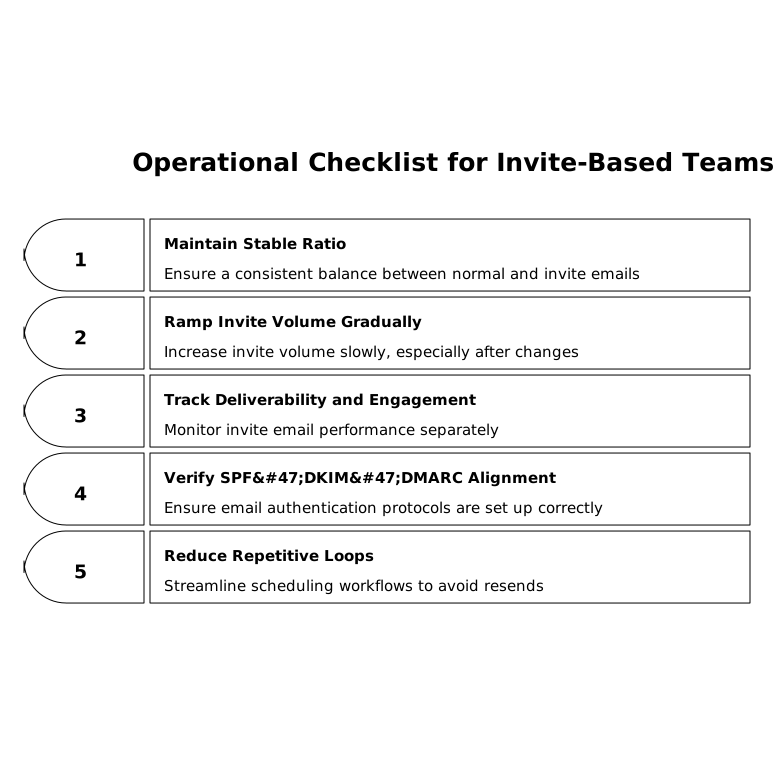
- Maintain a stable ratio of normal email to invites instead of switching modes abruptly.
- Ramp invite volume gradually, especially after mailbox creation or domain changes.
- Track deliverability and engagement separately for invite emails vs. regular emails.
- Verify SPF/DKIM/DMARC alignment for every system that sends calendar invites.
- Reduce repetitive resend/update loops by tightening scheduling workflows.
Where deliverability teams typically misdiagnose the problem
When inbox placement drops, teams often blame content, links, or sudden outreach volume. Calendar traffic is easy to miss because it “feels” like normal one-to-one communication. In practice, a run of low-engagement .ics sends can be the pattern change that pushes a borderline sender reputation into filtering. That is why warmup programs should be paired with a realistic sending plan and a deliverability monitoring mindset, not treated as a one-time prerequisite.
For a broader view of how measurement choices can mislead operational decisions, the same principle shows up in other domains: small configuration choices can distort outcomes. The pattern is similar to how lookback windows and attribution settings distort cross-channel budget decisions when the underlying data is correct but interpreted without segmentation.